
That viral clip you saved to favorites yesterday? Gone. The creator deleted it, went private, or the account vanished entirely. TikTok content disappears faster than most users expect.
A TikTok downloader solves this problem by letting you keep copies of videos on your own device. SSSTik offers a browser-based approach that removes watermarks and preserves HD quality without requiring any software installation.
How to Download TikTok Videos
The process takes under thirty seconds from start to finish. SSSTik uses a straightforward method that works identically on phones, tablets, and desktop computers.
- Open TikTok and locate the video you want to keep. Tap the share button and copy the link to your clipboard.
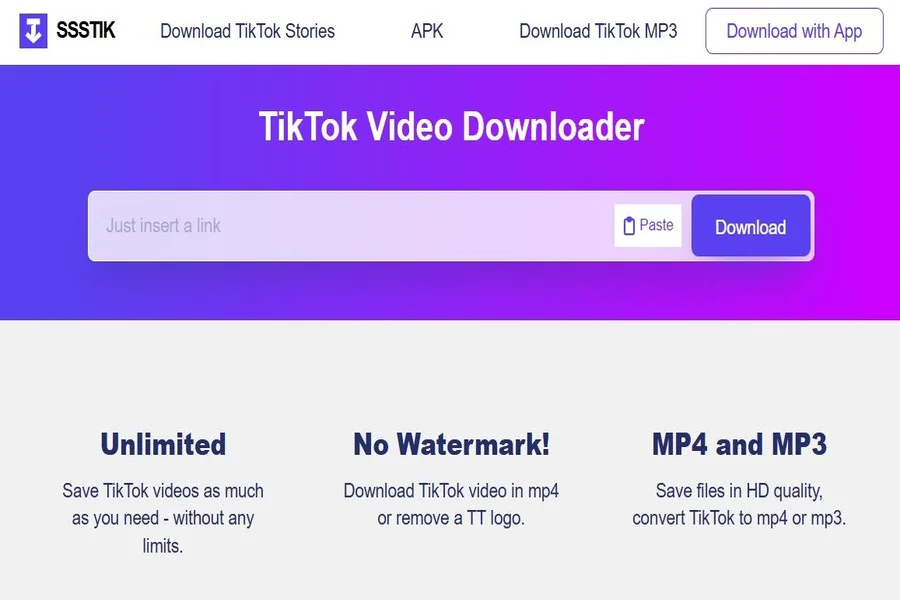
- Visit SSSTik and paste the copied URL into the input field. The tool processes the link and detects available formats.
- Select your preferred format and tap the button to download tiktok video directly to your device.
No account creation. No app to install. The file lands in your downloads folder ready for offline viewing.
Formats and Content Types You Can Save
TikTok hosts more than just short video clips. The platform contains stories, audio tracks, and image slideshows that users often want to preserve.
SSSTik handles multiple content types:
- MP4 videos in HD resolution without the TikTok watermark overlay
- MP3 audio extraction for music clips and voice recordings
- Stories before they expire after 24 hours
- Image slideshows saved as individual photo files
For browsing content anonymously before deciding what to save, the TikTok Viewer feature lets you watch profiles without logging in or leaving traces.
Why This TikTok Downloader Fits Most Use Cases
Researchers archive footage for academic studies. Educators preserve tutorial content for classroom use. Musicians keep audio performances. Content creators back up their own work before algorithm changes bury it.
Browser-based downloaders differ from desktop software and mobile apps in practical ways:
| Feature | Browser Tool | Desktop Software | Mobile App |
| Installation required | No | Yes | Yes |
| Works across all devices | Yes | Limited | Limited |
| Storage space needed | None | 50-200 MB | 30-100 MB |
| Updates automatically | Yes | Manual | Manual |
SSSTik operates entirely in your browser. Processing happens server-side, which means even older phones or low-spec laptops handle downloads without slowdown.
Privacy and Unlimited Access
The tool requires no registration and stores no user data. Each session remains independent. You can save as many videos as needed without hitting daily limits or subscription prompts.
Bookmarking the page gives you instant access whenever TikTok serves up something worth keeping permanently.